Zigzag Implementation in Java
About
Download
Requirement
How to run
GUI
Screenshots
Contact
About
This is a Java implementation of the Zigzag design. Once we run all
peer instances, they will be connected according to the Zigzag
hierarchy. We also include a video broadcasting component with this
implementation to illustrate the use of Zigzag. The video is produced
first by the server and follows the Zigzag hierarchy to reach all the
peers in the network. Thus, there are two main components in the
software development: the Zigzag component and the Streaming
componenet. All the programs are written in Java. Streaming is enabled
by calls to VideoLan (aka., VLC).
Download
Source codes (ZClient.*) are available upon request.
Requirement
- Java 1.5
- MINA Framework
- Linux or Windows
- VideoLan must already be installed (because our program calls VLC to stream and display video)
How to run
Here is a quick how-to video that show how to test the program.
Command line usage:
java ZClient [isServer] [listening port] [server ip] [GUI] [windows]
where
[isServer] specifies whether we want to run ZClient as the server or a normal peer
[listening port] specifies the listening port of the ZClient
[server ip] specifies the server IP address
[GUI] specifies whether we want to hide the GUI or not
[windows] specifies whether we run the program in Windows or Linux
For example, in Linux, to run a server whose IP is 123.345.789 and listen to port 12345 with a GUI, use
java ZClient 1 12345 123.345.789:12345 visible
and to run a client that listens to port 6789 in Windows, use
java ZClient 0 6789 123.345.789:12345 visible windows
GUI
The server's interface
- Open button: Open a multimedia file to stream
- Refresh button: Due to Java's event handling, sometimes GUI is not refreshed as new data
(cluster information, peer information, parent information) is available.
This button forces the GUI to reload the GUI window.
- Broadcast button: Start broadcasting the opened video file
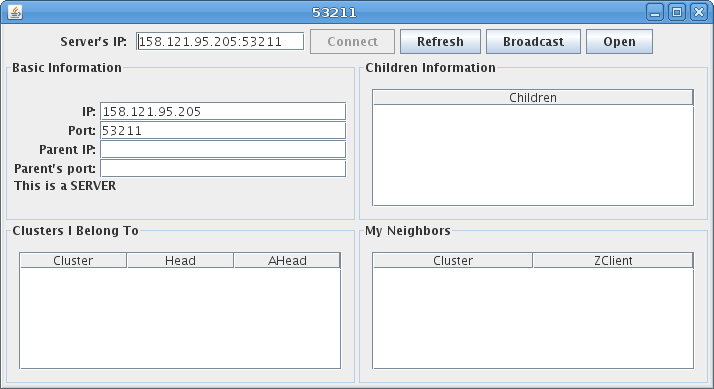
The peer's interface
- Connect button: Join the P2P network by sending a join request to the server
- Watch button: Start watching the video broadcast that is forwarded from the peer's parent node
- Refresh button: To refresh the GUI window to display the updated data
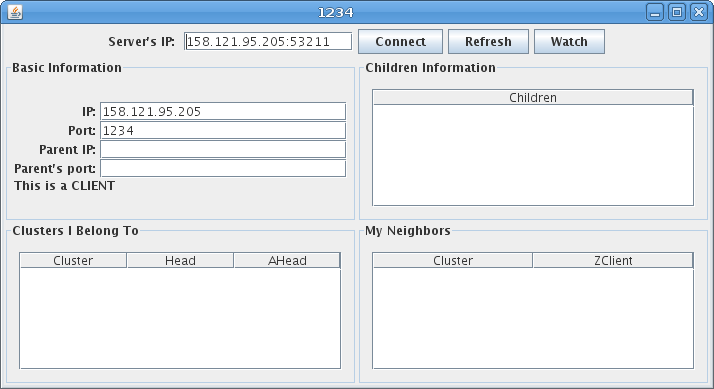
Screenshots
A network of 30 peers is connected using the
Zigzag architecture. The software allows a peer to run anywhere, but
for this example, we run all of them on the same machine, thus we
distinguish them by the port numbers.
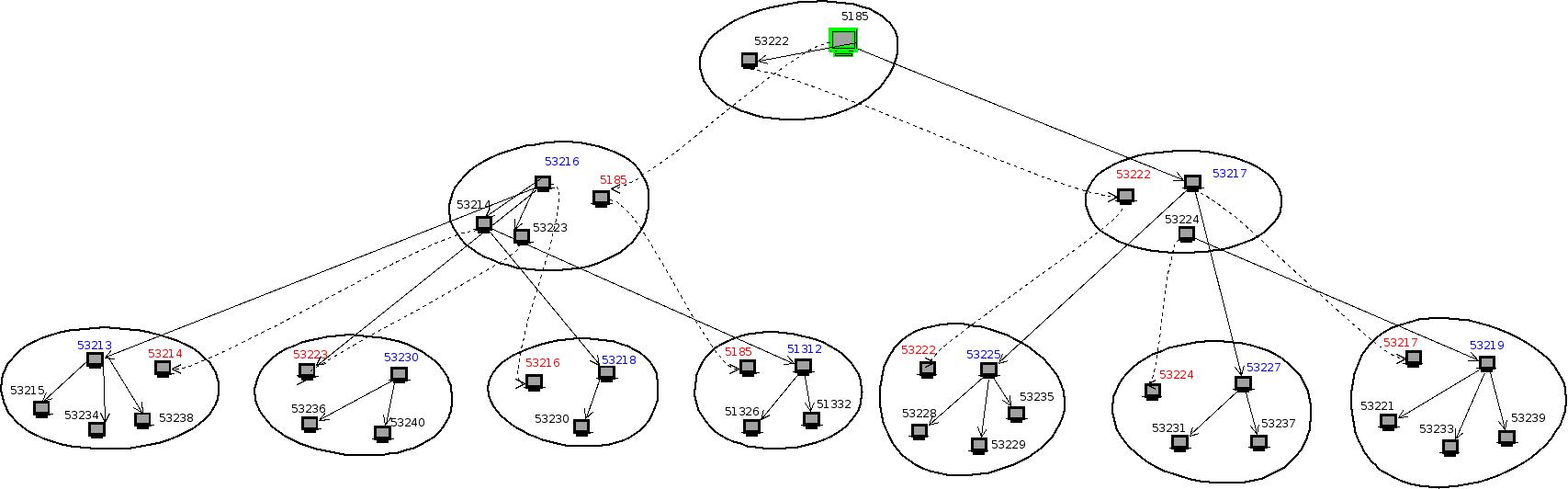
The following diagram show the connectivity information at the server:
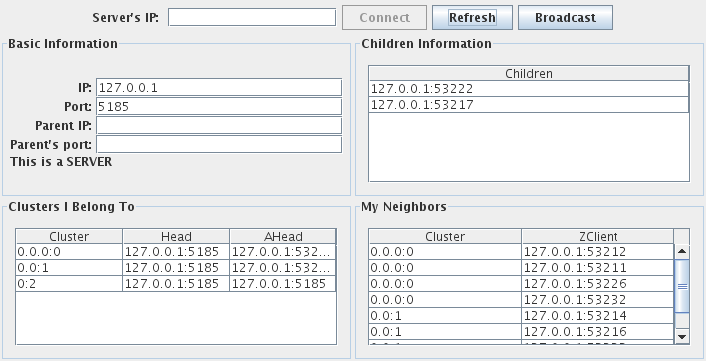
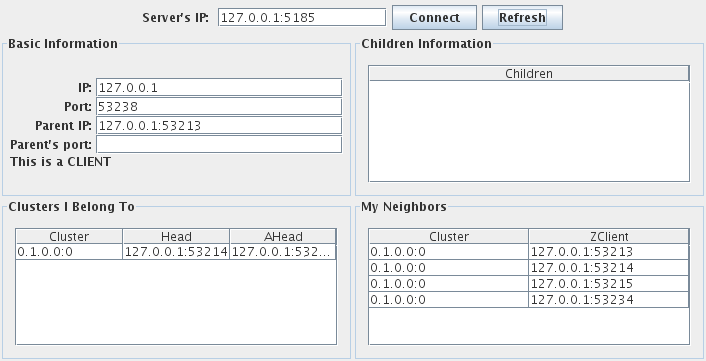
The following diagram shows the connectivity of a client at layer 0:
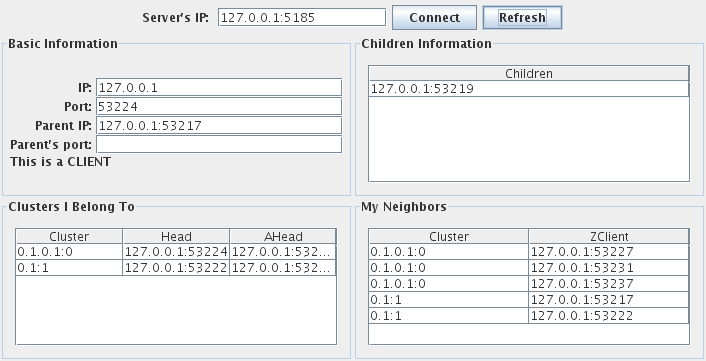
The following diagram shows the connectivity of a client at layer 1:
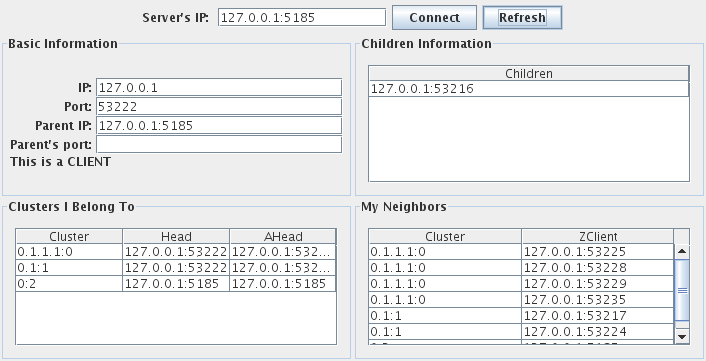
The following diagram shows the connectivity of a head at layer 1:
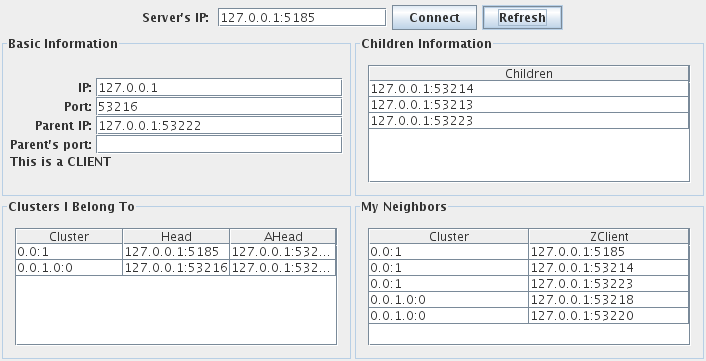
The following diagram shows the connectivity of an a-head at layer 0:
Contact
- Dr. Duc Tran (duc@cs.umb.edu)
- Khanh Nguyen (knguyen@cs.umb.edu)