Course Info
Catalog Description
Introduction to compiler organization and implementation, including formal specifications and algorithms for lexical and syntactic analysis, internal representation of the source program, semantic analysis, run-time environment issues and code generation. Students will write a compiler for a reasonably large subset of a contemporary language, targeted to a virtual machine.
Prerequisites: CS310 and CS420 or CS622; or permission of the instructor.
Students who successfully complete this course will be able to: write parsers and produce an abstract syntax tree (AST); analyze and generate code for a programming construct represented by an AST; and allocate physical registers (a limited resource) to a program expressed in terms of virtual registers (an unlimited resource).
Staff
| Name | Role | Office | Hours | |
| Swami Iyer | Instructor | siyer@cs.umb.edu | M-3-0201-14 | In-person: Tue Thu 8:30 AM - 10:30 AM Remote: Wed 10:00 AM - 12:00 PM (Zoom Link) |
| Jie Lin | Teaching Assistant | jie.lin003@umb.edu | M-3-0731 | Mon 2:00 PM - 3:00 PM, Tue Thu 5:30 PM - 6:30 PM |
Note: In case you want to email us, please start the subject line with [CS451] or [CS651].
Lecture
| When | Where |
| Tue Thu 4:00 PM - 5:15 PM | Y-2-2120 |
In each lecture, the instructor will present the material for that lecture. Roughly once a week, the instructor will also conduct an online quiz on recently covered material.
Study Material
For each topic covered, you will have access to lecture slides (in HTML/PDF formats) and exercises with solutions. The materials are based on the following optional text:
|
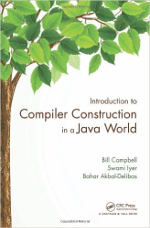
Introduction to Compiler Construction in a Java World by Bill Campbell, Swami Iyer, and Bahar Akbal-Delibaş
The text enables a deep understanding of the Java programming language and its implementation. It covers all of the standard compiler topics, including lexical analysis, parsing, abstract syntax trees, semantic analysis, code generation, and register allocation. |
|
Grading Scheme
Assessments
| Item | % of Final Grade |
| Programming Assignments (1, 2, 3, 5, and best of 4 and 6) | 35 |
| Exams (3) | 60 |
| Participation | 5 |
- The goal of the programming assignments is to make sure that you can apply the concepts learned in class to enhance the functionality of the base j-- and iota compilers.
- The closed-book exams will test your understanding of the theoretical concepts covered in class and concepts from the programming assignments.
- Your participation score will be based on weekly in-class quizzes. Only your top 10 quiz scores will count.
- If you score at least 83% (B) on each exam, the highest score will be considered as your exam average. For example, if your exam scores are 88, 95, and 83, your average exam score will be 95.
- You will receive 0.01x% extra points if x% of the class completes the end-of-semester course evaluation.
- Your overall percentage score will be rounded up.
% Score to Letter Grade
[93, 100]: A, [90, 93): A-, [87, 90): B+, [83, 87): B, [80, 83): B-, [77, 80): C+, [73, 77): C, [70, 73): C-, [67, 70): D+, [63, 67): D, [60, 63): D-, [0, 60): F
Software Needed
Piazza
We will use Piazza as the Q&A platform for the course. If you have any general questions about the assignments, exams, or the lecture material, the most effective way to get them answered is by posting them on Piazza. You can expect your questions to be answered by the course staff or your peers.
Gradescope
We will use Gradescope to grade the in-class quizzes, programming assignments, and exams.
Programming Environment
To write and execute Python programs in this course, you will need access to a desktop/laptop computer (Linux, Mac, or Windows) that is properly configured with the necessary software. Click here for setup instructions.
Zoom
We will use Zoom for all remote meetings.
Linux Lab
The desktop computers in the Linux Lab (M-3-0731) are set up with the programming environment for the course. To use these computers, you must have a CS Account, which you can obtain by visiting the Computer Science Portal. If you are not a member already, you need to first register for a portal account. Once you have the portal account, sign into the portal and select your courses for the semester. You will be notified via your UMB email once your account is created/activated for the semester.
Lab Hours: Mon - Thu 9:00 AM - 9:00 PM and Fri 9:00 AM - 5:00 PM. To access the lab outside of those times, you must call Public Safety.
Note: The computers in the Linux Lab do not support roaming profiles, which means your data on each computer is local to that computer.
Policies
Classroom
Come to lecture on time and stay for the entire session. If you have to leave early, let the instructor know in advance. Have your mobile phone silenced or turned off during the entire session. Use of earphones/headphones during the session is not permitted. Laptops may be used during the session, but only for class purposes. Do not talk to each other during the session. If you have any questions, bring them up to the instructor.
Piazza
If you have a question, first make sure that it has not already been asked/answered. Clearer questions get better answers, so re-read your question before you post it. Ask your questions early. Posts are categorized using tags, so pick an appropriate tag for your post. Use the platform only for questions that can be asked in a general way, without sharing code or other assignment-related work. However, if you are stuck on a problem despite your valiant efforts to solve it, you may seek help from the course staff by posting your code privately, as properly formatted text (not images). Any post that is inappropriate or violates the academic honesty code will be deleted by the course staff.
Makeup Exam
You must provide appropriate documentation if you were/are unable to take an exam on the scheduled date and want to arrange a makeup. The documentation must be a letter from the Dean of Students if the type of your absence is among those listed on their website. For other types of absences, the supporting documentation must be emailed to the instructor directly.
Note: There will be no makeup of missed quizzes.
Assignment Deadline
Assignment deadlines are firm — late submissions will not be accepted. The only exception to this policy is if you have been granted extended time on assignments through the Ross Center (see the section on accommodations below), in which case you are allowed a 24-hour extension per assignment. To avail this extension, you must email me at least 48 hours prior to the assignment deadline
Regrade Request
If you have any concerns about the grading of a particular quiz/assignment/exam, you may submit a regrade request via Gradescope. You must submit the request within a week from the date the quiz/assignment/exam grades are published, or else your request will be turned down.
Early Alerts
Please note that I participate in the Early Alert program to provide you with some early information on how you are doing in this course. Between Monday, October 5th, and Monday, October 26th, I will submit early alerts in WISER based on the following rubric:
-
In Danger of Failing (FAI) - currently failing or patterns suggest student is at risk of failing.
-
Caution (CAU) - currently passing but student exhibits patterns that could eventually lead toward low grade/failure.
-
Satisfactory (SAT) - consistent satisfactory progress is being made.
To check for alerts once they are submitted, click on the GRADES icon in the mobile view; make sure you are in the correct semester; go to OFFICIAL and pull down the choices; select PROGRESS REPORTS. If you receive a caution (CAU) or in danger of failing (FAI) alert, I suggest that you come to see me during my office hours, check in with your advisor, and/or visit the Center for Academic Excellence for tutoring and other academic support services. If you receive a satisfactory (SAT) alert, keep up the good work!
Use of Artificial Intelligence (AI) Tools
In this class, all work submitted by students must be generated by the students themselves, whether working individually or in groups. Students should not have another person or entity do the writing of any portion of an assignment; this includes hiring a person or a company to write assignments and using AI tools like ChatGPT. All work submitted must contain citations for any material that has been quoted or referenced. If students are unsure about whether or not a source is appropriate to use in the assignment, they should contact the instructor.
Collaboration
Click here for the collaboration policy and penalties for infractions of the policy.
Accommodations for Students with Disabilities
Section 504 of the Americans with Disabilities Act of 1990 offers guidelines for curriculum modifications and adaptations for students with documented disabilities. If applicable, students may obtain adaptation recommendations from the Ross Center for Disability Services. The student must present these recommendations and discuss them with the instructor within a reasonable period, preferably by the end of Add/Drop period.
Campus Closure
In the event of a campus closure, all activities will be conducted remotely, via Zoom. No quizzes will be held that day. If there is an exam scheduled to take place on that day, the exam will be postponed to the next suitable date.